
News
How to Convert Your Physical SIM to eSIM on iPhone and Android
Fortunately, converting a physical SIM to an eSIM is a relatively easy process. Before you get started, you have to make sure your new phone accepts eSIMs.

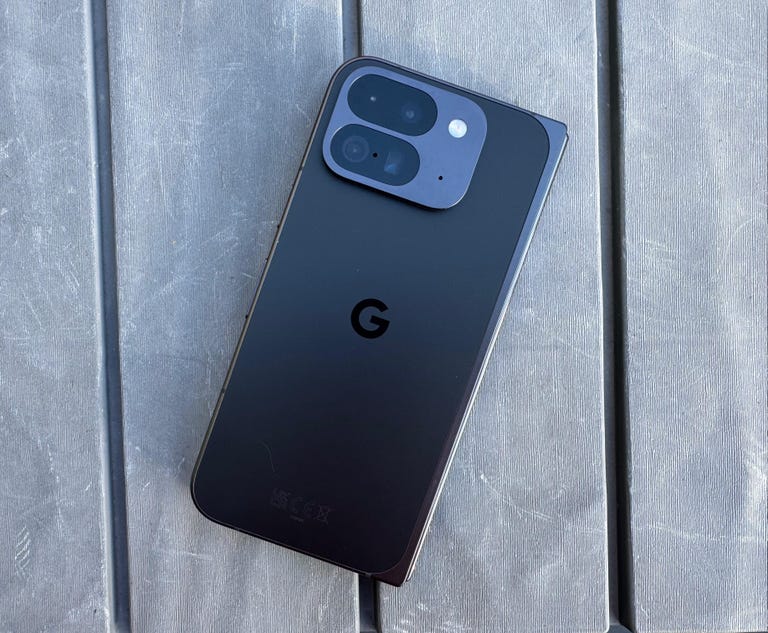
(CNET): You’re probably already familiar with the SIM card, a tiny chip in your phone that connects it to your cell phone carrier of choice.
For years, this chip was on a physical card that you could swap in and out by ejecting a SIM card tray from your phone.
Most modern phones, however, also support eSIMs.
Instead of a physical card, eSIMs are embedded directly into the phone’s circuitry and the carrier information is programmed remotely via software.
This allows for a few conveniences, such as letting you try out service on a new carrier without needing to get a physical SIM in the mail or at a store.
The problem arrives if you want to convert an existing physical SIM card to an eSIM.
You might want to do so if a new phone is eSIM-only or if you want to load multiple eSIMs in a single device.
Or perhaps you just don’t want to deal with the hassle of swapping physical cards in and out of devices any more.
Fortunately, converting a physical SIM to an eSIM is a relatively easy process. Before you get started, you have to make sure your new phone accepts eSIMs.
As we mentioned earlier, most modern phones do. All iPhones since the iPhone XS and XR support eSIM, and in the US, the iPhone 14 and newer are eSIM-only.
Most Android phones also include eSIM support, including the Google Pixel 6 and later along with the Samsung Galaxy S21 and later.
eSIM on an iPhone
There are a few different ways to convert a physical SIM to an eSIM on an iPhone.
Here’s how to do it if you’re converting a physical SIM to an eSIM on the same iPhone (that means the phone needs to support both).
1. Open Settings, then select Cellular.Then, if your carrier allows it, you’ll see an option that says Convert to eSIM. If you don’t see it, then your carrier likely does not support this action.
2. Tap Convert Cellular Plan.
3. Tap Convert to eSIM. Your eSIM will now activate. If, on the other hand, your transferring a physical SIM to an eSIM on a completely different iPhone, here’s how to do it.
- On your new iPhone,
- 1. go to Settings,
- 2. then choose Cellular.Scroll down until you see Add eSIM.
- 3. Select it.Then you have two choices. One is Transfer From a Nearby Phone, which requires both handsets to have iOS 16 or newer.
- If you select that, you’ll follow the instructions on your previous iPhone.
- 4 You can then select Transfer to confirm and then enter a verification code.
- Obviously this only works if both phones are iPhones.Another option is to Use a QR Code.
- This is what you would use if a QR Code is provided by your carrier, or if your previous phone was a non-Apple handset.
- To scan the code, you open up the Camera app and point it at the QR Code.
- Tap the Cellular Plan Detected notification. If using an iPhone with iOS 17.4 or later, you can touch and hold the QR code and then tap Add eSIM.
- Go ahead and follow the on-screen instructions, hit Continue and tap Add Cellular Plan.
- Alternatively, you can also choose to enter in the eSIM details manually if your carrier provided them.
- If you want to do that, you can select Settings, then Cellular, then Add Cellular Plan and then tap Enter Details Manually.eSIM on an Android phone.
- The process of converting a physical SIM to an eSIM on Android can vary from manufacturer to manufacturer.
- The most surefire way to do so is to simply contact your carrier and tell them you’re switching to an eSIM.
- They’ll then either walk you through the process manually or send you a QR code. If they do send a QR code, here’s how to add it to your phone.Go to Settings.
- Then tap either Connections or Network & Internet.
- Select Sim Manager or SIMS.Tap Add mobile plan or Download SIM card or Add SIM.
- Then follow the on-screen instructions and scan the QR code when prompted.
- If you have a Samsung device, however, the process is a little more straightforward.
- Here’s how to do it on a Samsung.
- Launch Setting.
- Then tap Connections.
- Select SIM card manager.
- Choose your SIM (If you only have a physical SIM, it’ll just be the only one listed).
- Tap Convert to eSIM.
- Follow the on-screen instructions and then you’re done.
- We should note that different carriers might have different ways of adding a new eSIM to your device.
- If you run into any problems when doing so, please contact them directly. And if you are transferring from an iPhone to an Android phone or vice-versa, you’ll need to contact your carrier to get their assistance with making the transition.
- If you want to learn more about eSIMs and if they’re better or worse than physical cards, then please check our eSIM guide which goes into more depth on the pros and cons of each.
News
NGE Tasks Newsrooms, INEC on Must-Do Measures for Credible 2027 Polls
The Guild warned that synthetic content could be produced and distributed rapidly, including fabricated election results, cloned voices of public officials, forged documents, manipulated result sheets and fake reports attributed to established media organisations.


• [File photo] L-R Prof Pat Utomi; Prof Chinyere Okunna and Eze Anaba President Nigerian Guild of Editors at the 22nd All Nigerian Editors Conference in Enugu. Photo. Nwankpa Chijioke.
The Nigerian Guild of Editors (NGE) has tasked news organisations and the Independent National Electoral Commission (INEC) with implementing far-reaching reforms to strengthen the credibility of Nigeria’s 2027 general elections.
The Guild, in a communiqué issued at the end of the 22nd All Nigeria Editors Conference (ANEC 2026) in Enugu, called on newsrooms to institutionalise fact-checking and verification systems and integrate digital verification, deepfake detection and forensic tools into their editorial workflows.
The communiqué, signed by NGE President, Eze Anaba, and General Secretary, Onuoha Ukeh, also called for electoral reforms, including the introduction of a 50 per cent threshold for presidential elections and the resolution of electoral disputes before the swearing-in of declared winners.
The Guild urged all news organisations to adopt the Nigerian Media Code of Election Coverage (Revised 2022) and train journalists and other editorial staff on its provisions ahead of the 2027 elections.
The Code was jointly endorsed by the Newspaper Proprietors’ Association of Nigeria, Broadcasting Organisations of Nigeria, Nigeria Union of Journalists, NGE, Radio, Television, Theatre and Arts Workers Union, and Guild of Corporate Online Publishers.
According to the Guild, the media has a critical responsibility to provide accurate, verified and independent information to the electorate while holding governments, political parties and other centres of power to account.
The NGE identified generative artificial intelligence, deepfakes, voice cloning and automated networks as major emerging threats to the integrity of electoral information.
The Guild warned that synthetic content could be produced and distributed rapidly, including fabricated election results, cloned voices of public officials, forged documents, manipulated result sheets and fake reports attributed to established media organisations.
The editors said the greatest danger was not merely the circulation of individual falsehoods but the broader erosion of public trust when citizens became unable to distinguish authentic information from fabricated content.
The conference, with the theme, “The Ballot, the Media and the Task of Keeping Democracy Alive,” was chaired by the Obi of Onitsha, His Royal Majesty Igwe Nnaemeka Alfred Achebe, while the Archbishop Emeritus of Abuja, His Eminence John Cardinal Onaiyekan, delivered the keynote address.
Vice President Kashim Shettima participated virtually as Special Guest of Honour, while Enugu State Governor, Dr Peter Ndubuisi Mbah, served as Chief Host.
More than 500 editors, publishers and senior media practitioners from print, broadcast and digital platforms, alongside political, traditional, religious, academic, regulatory and development-sector leaders, attended the conference.
News
Nigerian-Born Former Texas Professor Gets 78 Months For $921,000 Student Aid Fraud
Finnih submitted more than 100 fraudulent financial aid applications over approximately five years using other people’s identities at colleges and universities across Texas, prosecutors said.

•Emmanuel Olugbaike Finnih
A former Texas Southern University adjunct professor will serve 78 months in federal prison for a student financial aid fraud scheme that obtained more than $921,000 and left victims with debt in their names, federal prosecutors announced Friday.
Dallas Express reported that Emmanuel Olugbaike Finnih, 43, of Richmond, is a naturalized U.S. citizen originally from Nigeria.
U.S. District Judge Andrew Hanen imposed the prison sentence and three years of supervised release, the U.S. Attorney’s Office for the Southern District of Texas said in a news release.
Finnih pleaded guilty March 20 to theft of government funds, fraud, unlawful use or transfer of identity documents, and aggravated identity theft.
Finnih submitted more than 100 fraudulent financial aid applications over approximately five years using other people’s identities at colleges and universities across Texas, prosecutors said.
He sought more than $1.3 million in federal grants and loans, and the scheme resulted in $921,189.08 in disbursements.
Finnih used other people’s personal information to complete and sign aid applications and master promissory notes.
He controlled the mailing addresses, phone numbers and email accounts that received communications from schools and the Department of Education, prosecutors said.
He then collected financial aid refunds through electronic transfers, checks and prepaid debit cards sent to addresses or accounts he controlled.
News
FG launches new digital postcodes
The code is designed to provide a precise, GIS-enabled reference for identifying locations.
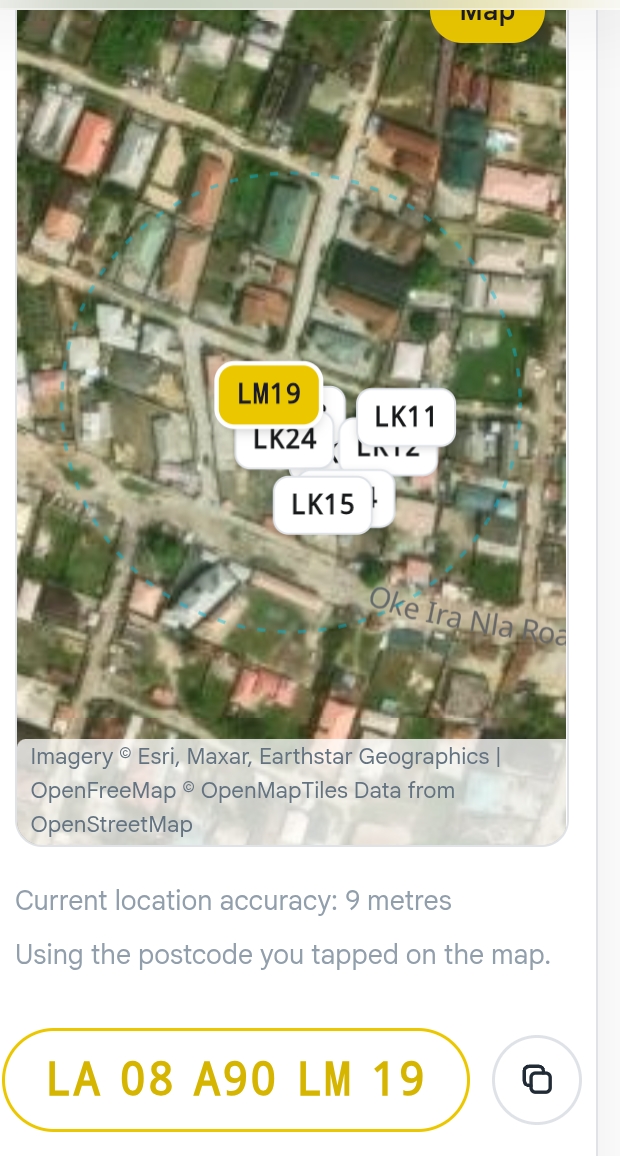
• Image credit: NIPOST
The Federal Government has launched the National Digital Alphanumeric Postcode System, urging Nigerians to find and begin using their postcodes.
The National Digital Alphanumeric Postcode, operated by the Nigerian Postal Service, gives every addressable building a unique 11-character code — the code is designed to provide a precise, GIS-enabled reference for identifying locations.system. Easier to find, share and use.
The Minister of Communications, Innovation and Digital Economy, Bosun Tijani announced the launch in a post on X on Thursday.
Tijani described the system as a step towards making locations across the country easier to identify and connecting people and businesses to services and opportunities.
Tijani said the system could help businesses reach customers beyond their immediate neighbourhoods, enable families to provide accurate locations during emergencies and help government agencies reach communities with essential services.
The minister encouraged Nigerians to search for their postcodes through the official Digital Postcode website, postcode.gov.ng, and share them with family members, friends and businesses.


Naira Rates To Dollar , Pound, EURO… Monday, October 5

BBNaija season 11: “And The Winner is Temi Nkem”

FIFA to decide 2030 World Cup final venue in 2028 as Morocco, Spain wait

Tech Expert, Zuckerberg trains with UFC champions, Adesanya, Alexander

Organ Trafficking: Ekweremadu bags 10 years in UK prison

SAINT OBI: Between his marriage and his death
-

 Business19 hours ago
Diesel Costs Bite: LAMATA Accelerates Shift To CNG, Electric Buses
-

 International18 hours ago
US’s Gullah Geechee communities celebrate historic cultural festival rooted in West Africa
-

 International18 hours ago
Italy marks 800 years since death of Saint Francis of Assisi
-
 Sports6 hours ago
FIFA to decide 2030 World Cup final venue in 2028 as Morocco, Spain wait
-
 Entertainment6 hours ago
BBNaija season 11: “And The Winner is Temi Nkem”
-
 News17 hours ago
Nigerian-Born Former Texas Professor Gets 78 Months For $921,000 Student Aid Fraud
-

 International17 hours ago
Ethiopian woman says she hasn’t eaten or drunk water since age 10
-

 News7 hours ago
NGE Tasks Newsrooms, INEC on Must-Do Measures for Credible 2027 Polls